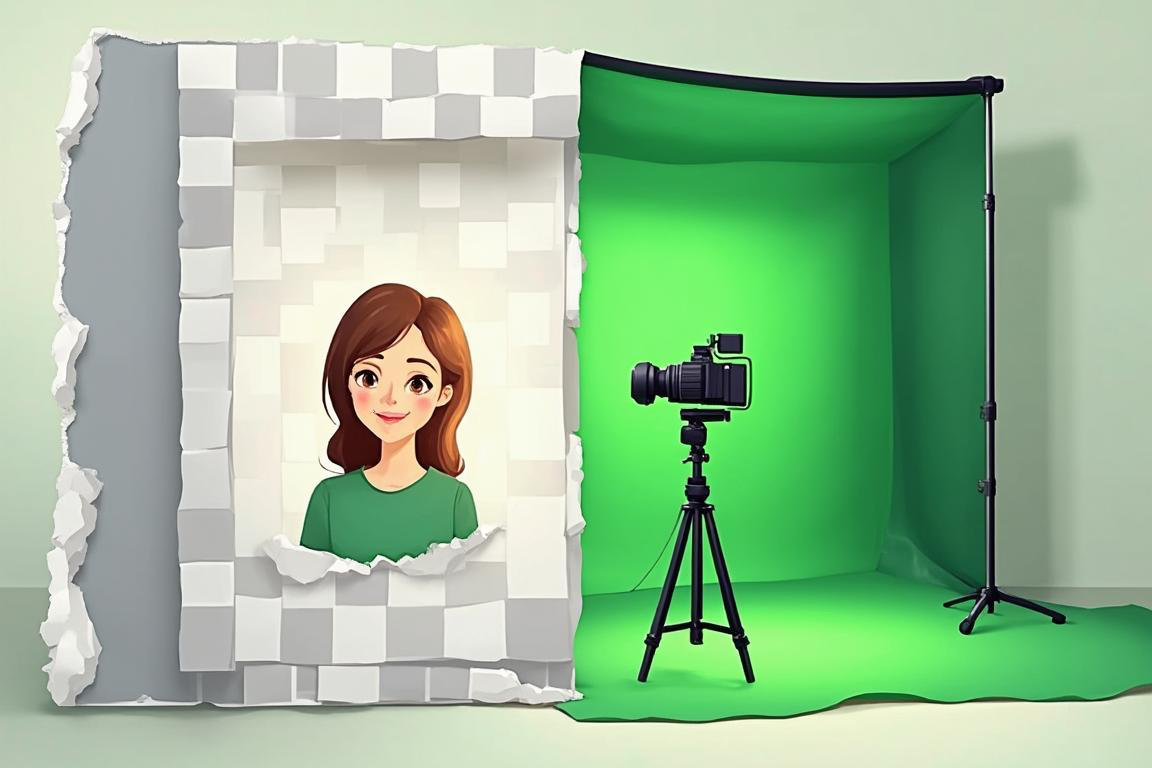
How Background Removal Works: From Green Screens to AI
How Background Removal Works: From Green Screens to AI
Removing a background used to require a film crew, a painted wall, and expensive optics. Today it is a one-click operation in a browser tab. But the jump from green screens to AI was not a single leap; it ran through eighty years of accumulated technique. Understanding how the tools actually work will get you dramatically cleaner cutouts, whether you are cutting out a product photo or wondering why your hair always looks chewed up at the edges.
The Chroma Key Era
Where the green screen came from
Background replacement in film dates to the 1930s. The 1940 film The Thief of Bagdad won an Academy Award for its blue-screen traveling matte process, which photographed actors against a solid-colored backing and combined that footage with separately shot backgrounds.
The technique matured through the decades that followed. Disney’s sodium vapor process (used famously in Mary Poppins, 1964) used a narrow-band light source to produce mattes with remarkably clean edges for the era, and by the late 1970s and 1980s, blue-screen compositing was the industry standard for effects films.
How keying actually works
Chroma keying is conceptually simple: pick a color, mark every pixel close to that color as transparent, keep everything else. The practice is harder than the theory:
- Spill: green light reflects off the subject, tinting hair and skin edges, and must be suppressed
- Soft edges: hair, smoke, and motion blur are partially transparent, so pixels need fractional opacity (an alpha value between 0 and 1), not just on/off
- Even lighting: the backing must be lit uniformly, or keyers cannot distinguish the screen from shadows on the screen
Why green won
Digital sensors using Bayer arrays have twice as many green photosites as red or blue, which makes the green channel the sharpest and least noisy. Green is also an unusual color in wardrobes and skin tones. Blue remains in use where the subject is genuinely green (plants, bottle labels) or for blonde hair, which absorbs green spill more visibly.
Chroma keying still demands controlled conditions: a flat, evenly lit backdrop in a saturated color. That is fine on a film set and useless for a phone photo of a product on a desk. That gap is what drove the research into methods that need no screen at all.
Classical Algorithms: Teaching Software to Guess
Before deep learning, background removal relied on algorithms that modeled color regions statistically.
GrabCut and friends
GrabCut, published by Microsoft Research in 2004, became the foundation of the “magic” selection tools in photo editors for years. The user draws a rough box around the subject. The algorithm then:
- Assumes everything outside the box is definitely background
- Builds color models (Gaussian mixture models) for “probably foreground” and “probably background”
- Runs a graph-cut optimization that labels every pixel, treating neighboring pixels as connected
- Refines both models by iterating, letting the user correct mistakes with brush strokes
Related techniques included simple color thresholding (the magic wand), which fails on any subject sharing colors with its background, and alpha matting research, which tried to recover fractional transparency for hair and fuzzy edges.
The shared weakness: these methods only see color statistics in a rectangle. Give GrabCut a white product on a white table, or a person wearing green in front of grass, and it fails completely. Every pixel decision was local; nothing in the system knew what a “person” or “bottle” was.
Modern AI Segmentation
Deep learning changed the nature of the problem. Instead of hand-tuned color statistics, convolutional neural networks trained on millions of labeled images learn what subjects look like.
The progression happened fast:
- 2015: Fully convolutional networks (FCN) showed neural nets could label every pixel in an image semantically, coining “semantic segmentation”
- 2015-2018: U-Net and DeepLab refined the architecture, recovering fine detail with encoder-decoder skip connections and dilated convolutions
- 2017 onward: Mask R-CNN added instance segmentation, separating individual objects (this person versus that person)
- 2019 onward: Portrait-matting specialists like MODNet and BackgroundMattingV2 were trained specifically to output soft alpha values for hair, which is exactly where older tools failed
- 2020s: Vision transformers and large multimodal models generalized segmentation further; modern models can follow a text instruction (“remove the background behind the product”) without task-specific training
The practical difference from GrabCut is semantic understanding. A modern model knows that the translucent bottle is one object, that the gaps between fingers belong to the background, and that individual hair strands get partial alpha values. It works on a busy street background with no green screen, no even lighting, and no bounding box.
Where AI still struggles, honestly: transparent and reflective objects (glass, water), smoke and fine fabric blur, subjects that closely match their background in both color and focus, and complicated shadows that should arguably stay with the subject. No model handles every case; the difficult 5 percent still benefits from manual cleanup.
The BYOK Model: How Modern Removal Tools Pay for Compute
AI background removal is not free to run; image-editing models consume real GPU time. The industry has settled on three payment models, and it is worth understanding the newest one.
- Bundled subscriptions: the service owns the models, charges a monthly fee or per-image credits, and marks up the compute cost
- Ad-supported free tiers: limited resolution, watermarks, or daily caps fund the compute
- Bring Your Own Key (BYOK): you create an account with an AI provider, get an API key, and the tool calls the provider directly on your behalf
BYOK deserves an honest explanation, because it changes who you trust. In a BYOK tool such as Kit Utility’s Background Remover:
- Your API key is stored client-side in your browser session, not on the tool’s servers
- Requests go from your browser through a thin proxy to the provider; the tool never sees or stores your key for its own use
- You pay the provider’s raw rate per image, typically a fraction of a cent to a few cents, with no markup
- Your image goes to the provider you chose (for example Google’s Gemini image-edit models or OpenAI’s image edit models), under that provider’s data policies
The tradeoffs are real: you manage your own quota and billing limits, a provider outage or rate limit blocks the tool, and model access can depend on your account tier. What you get in return is transparency about exactly which model processes your images and what it costs, with no middleman markup. If you already use an AI provider’s API for anything else, BYOK tools are effectively free to try beyond the provider’s own pricing.
Practical Shooting Tips for Cleaner Cutouts
Whatever removes your background, the source image determines the ceiling of quality. These habits prevent most edge problems:
- Create separation: keep distance between subject and background; a subject touching the background has no edge to detect
- Avoid color collisions: do not wear green against foliage or shoot a white product on a white surface
- Light the subject, not the room: a well-lit subject against a dimmer, plain wall gives the model maximum contrast
- Freeze motion: motion blur smears the subject edge into the background and no algorithm fully recovers it
- Shoot sharp, crop later: focus and resolution live at the edges; a soft edge cannot be sharpened after the fact. Crop to your final framing afterward with a dedicated cropper rather than cropping in-camera too tight
- Mind the hair and fibers: tie back loose hair, avoid fuzzy sweaters when the background is busy, and prefer a plain backdrop for group or pet photos
- Go bigger than you need: process at the highest resolution you have, then downscale; downscaling averages out edge errors, while upscaling amplifies them
For product shots specifically, a plain sheet of paper or a wall at a slight angle kills shadows cheaply, and generating a clean studio-style backdrop with an AI image generator then compositing your cutout often beats trying to relight the original scene.
Try the Tool
Put this to work: the Background Remover runs AI cutouts with BYOK support for Gemini, OpenAI, and Clipdrop, the Image Cropper frames the result exactly how you need it, and the Image Generator creates replacement backdrops and product scenes to place your cutouts into.
Ready to Transform Your Finances?
Browse our collection of free budget templates and start taking control of your money today.
Browse Free Templates